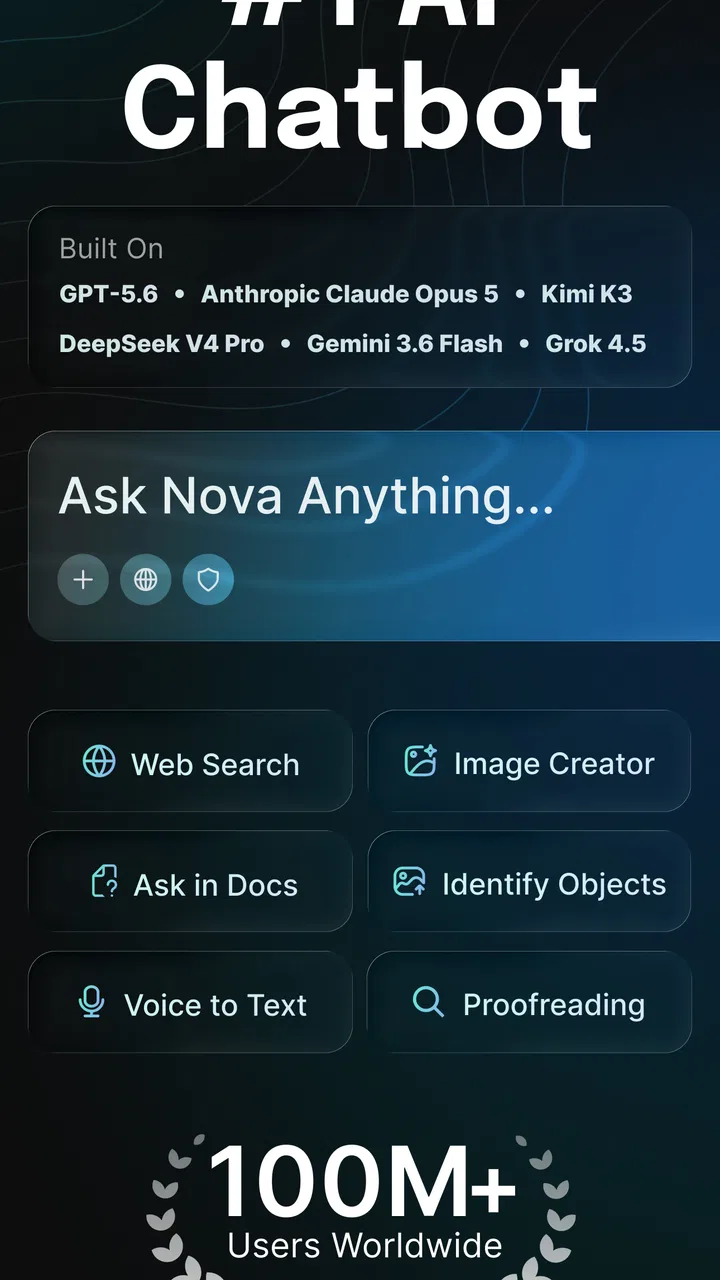
AI Chatbot - Nova
- 3.8
- Rating
- 100.00M
- Installs
- Free
- Price

 Analysis by App-foxy
AI Chatbot - Nova is the kind of productivity app I would suggest when you want help getting past a blank page rather than learning a complicated new system. It is built by ScaleUp and focuses on conversational requests: you type what you need, and the app uses AI models to help produce a draft, explanation, plan, or rewrite. I found that simple idea most useful when I treated Nova as a writing partner, not as an unquestionable authority.
The app is free to download and is suitable for Everyone, which makes it approachable for students, office workers, freelancers, and anyone who regularly writes messages or notes. It also has optional in-app purchases ranging from $0.99 to $199.99 per item, so I would pay attention to any upgrade or purchase screen before confirming anything. With a 3.9 average from around two million ratings and more than 50 million installs, it is clearly being used at a large scale, although that popularity should not replace your own judgment about whether its answers fit your needs.
What to expect from Nova AI
My first impression is that Nova is designed around immediacy. You do not need to build a project, organize a database, or learn a specialized workflow before asking for help. The central experience is a chat with an AI assistant powered by current AI models, and the practical benefit is that you can describe an outcome in ordinary language.
You May Also Like

 Blood Strike: 2.5 Anniversary
Blood Strike’s Loadouts Turn Every Drop Into a Tactical Gamble
A close look at Blood Strike’s custom loadouts: how fast access to signature weapons reshapes its battle royale rhythm, rewards preparation, and narrows the gap between fights.

 Pandora - Music & Podcasts
Pandora’s Music Is Easy to Start, but Harder to Recover
Pandora’s strength is its low-effort path from a seed to a station. Its weak spot is how much confidence it asks you to place in connection, setup, and quiet recovery.

 8 Ball Pool
 Is Built on Rivalries, Rematches, and Routine
A close look at the rivalries, rematches, shared routines, and unanswered safety questions that turn a quick pool match into a persistent mobile community.

 Samsung Music
’s Quiet Strength Is Playing What You Already Own
Its reach comes less from spectacle than from dependable access to a personal library. That simplicity is both the app’s strongest retention engine and its ceiling.

 AccuWeather: Weather Radar
AccuWeather Review: A Quick, Clear Forecast for Everyday Decisions
For everyday plans, the best forecast is the one you can understand quickly. AccuWeather makes rain timing, radar, and local conditions easy to act on, with a few trade-offs.

 Hill Climb Racing
Why Hill Climb Racing Still Turns Crashes Into One More Run
A tiny car, a bumpy hill and one more upgrade: Hill Climb Racing keeps resurfacing because its simple chaos makes every near-miss feel personal.
More From Our News Desk
View All News


That makes the app especially useful for tasks with a clear starting point but an annoying amount of wording. I would use it to turn rough notes into a polite email, create a first outline for a presentation, simplify a dense paragraph, or suggest different ways to phrase a request. The quality of the result depends heavily on the instructions, but the conversation format makes it easy to refine an answer instead of starting again from zero.
It is important to set the right expectation before you begin. Nova can help you generate and reshape text, but I would not treat the first response as finished work. AI can misunderstand context, sound too confident, repeat itself, or choose a tone that does not suit the person receiving the message. The strongest workflow is to use its response as a draft, then check facts, names, dates, calculations, and any sensitive wording yourself.
Compared with a conventional notes app, Nova offers more active assistance. A notes app stores what you already know; this app can help you organize an idea that is still incomplete. Compared with a search engine, it can produce a direct, readable answer instead of making you assemble information from several pages. That convenience comes with a trade-off: a search engine gives you a clearer path to original sources, while Nova may present an elegant answer that still needs verification.
I also would not confuse it with a full document editor or a task-management system. If your main need is version control, detailed formatting, shared editing, or a carefully structured project workspace, a dedicated productivity tool is likely the better center of your workflow. Nova is more valuable at the beginning of a task, when you need ideas, wording, structure, or a quick explanation.
Who is likely to benefit most
Students can use it to turn a broad assignment topic into a set of questions, compare possible outlines, or ask for a difficult concept to be explained in simpler language. I would still use it as a study aid rather than submitting its wording unchanged. Asking for examples, counterarguments, or a short self-test can make the conversation more useful than simply requesting an answer.
For work, the practical wins are often small but frequent. You might paste a rough internal announcement and ask for a clearer version, request three subject-line options, or turn a long meeting note into action points. The key is to remove confidential details before sharing them with any AI service. Even when a task looks harmless, names, customer information, financial details, and private company plans deserve extra care.
It can also help people who do not consider themselves strong writers. If you know what you want to say but struggle with tone, you can ask for a friendlier, shorter, more direct, or more professional version. That is different from asking the app to “write better,” because the instruction gives it a target. Specific tone guidance usually produces a more usable result.
On the other hand, I would skip Nova if you want a completely offline writing tool, a guaranteed source of accurate professional advice, or a replacement for a human editor. It is also not the best choice for someone who dislikes reviewing generated text. The time saved during drafting can disappear if you accept every sentence without checking whether it is correct or appropriate.
Getting started without overthinking the setup
After installing the app, I recommend beginning with one low-risk task instead of immediately asking it to handle something important. A short rewrite is a good test because you can judge the result quickly. Try a sentence you wrote yourself and explain the desired tone, audience, and length. This gives you a feel for how Nova responds while keeping the consequences of a poor answer minimal.
Before using it regularly, take a moment to understand the difference between the free experience and any optional purchase prompts. The app is listed as free, but optional items can cost from $0.99 up to $199.99 each. I would not assume that every advanced-looking option is necessary for ordinary drafting. Start with the basic conversation and decide whether the app genuinely improves your routine before spending money.
The most useful setup is not technical; it is mental. Decide what you want Nova to do for you. If you expect a perfect final document from a vague sentence, the results may feel disappointing. If you treat the first answer as a working draft and plan to give feedback, the conversation becomes much more productive.
A simple prompt formula works well: explain the task, identify the audience, set the tone, and describe the format. For example, instead of asking for “an email about a delay,” I would write that I need a brief, polite email to a customer, explaining a delivery delay without making promises about a new date. That instruction gives the app boundaries and reduces the chance of an overly cheerful or unrealistic response.
One useful habit is to separate facts from preferences. I might tell Nova which details must remain unchanged, then specify what can be rewritten. This is especially helpful with workplace messages, where a polished sentence is not useful if it changes a deadline or alters a responsibility. After receiving the draft, I compare it with my original notes line by line.
Your first meaningful success
For a realistic first session, imagine that you have a rough message explaining that you need more time to finish a project. Paste only the necessary context and ask Nova to produce two versions: one direct and one warmer. Then ask it to shorten the version you prefer without changing the meaning. This three-step exchange shows the app’s main strength: you can move from idea, to alternatives, to refinement in one place.
I like this workflow because it keeps the user in control. Rather than asking the chatbot to invent a situation, you provide the substance and use it to improve delivery. The result is more likely to sound like something you can actually send. It also teaches you how to give better instructions, which matters more than finding a magical single prompt.
Another strong first use is turning scattered notes into a plan. Give Nova a list of tasks and ask it to group them by priority, identify missing information, and present the result as a checklist. I would then inspect every suggested priority myself. The app can help reveal structure, but it does not know your real deadlines, energy level, or workplace dependencies unless you explain them.
For studying, I would ask for an explanation at a specific level, followed by practice questions without answers immediately shown. After attempting them, ask Nova to explain where your reasoning went wrong. This is more valuable than copying a paragraph because it creates a small learning loop. Still, verify important academic facts with course materials or trusted references.
A less obvious use is tone testing. Write the message you genuinely want to send, then ask Nova to identify phrases that could sound defensive, vague, or more demanding than intended. I find this more useful than simply requesting a “professional” rewrite because it helps me understand the communication problem. I can then choose which suggestions fit my personality instead of losing my own voice.
Where first-time users can get confused
The biggest confusion is often the difference between fluent language and reliable information. Nova may sound certain even when a response needs checking. I would be particularly careful with legal, medical, financial, technical, and current-event questions. For those subjects, use the conversation to clarify terms or prepare questions for a qualified source, not as the final authority.
Another common mistake is giving too little context and then blaming the app for guessing. A request such as “make this better” leaves the meaning of better undefined. Better for whom? Shorter, friendlier, more persuasive, or more formal? Adding one sentence about the audience and purpose usually makes the next response much easier to use.
Long conversations can also become less clear if the task changes halfway through. If you start by asking for a summary and later switch to writing a complaint, I would restate the important facts and the new goal. This creates a clean reset without relying on the chatbot to understand every turn perfectly.
There is also a privacy judgment that should happen before you paste anything. Remove personal identifiers and replace them with neutral labels such as “the customer” or “the manager.” You can add the exact names back after editing the result. This small step makes Nova more suitable for everyday drafting without exposing more information than the task requires.
Finally, remember that a generated answer is not automatically your answer. I often read the result aloud, because awkward claims and unnatural phrases become easier to notice that way. If the wording feels unlike something I would say, I ask for a simpler version or rewrite it myself. The app should reduce friction, not erase personal responsibility.
Making the app part of a sensible routine
Once the first experiments go well, I would use Nova at specific points in my day rather than opening it for every tiny thought. For example, I might use it during a weekly planning session to turn a messy list into categories, then move the final tasks into my normal calendar or task app. This keeps Nova in the role where it is strongest: shaping information before it enters a more permanent system.
For repeated work, save your own prompt patterns outside the chatbot. A reusable instruction might include your preferred tone, typical audience, and formatting style. Each time, add the current facts separately. This is safer than assuming the app will remember every preference and also makes it easier to audit what you asked for.
I would also compare the time saved with the time spent correcting. If a short email takes less effort after Nova’s draft, it is doing its job. If you spend several minutes removing exaggerated claims, generic introductions, and incorrect details, a simple template may be faster. The best alternative is sometimes not another AI service but a well-written personal checklist.
People who need citations, document collaboration, or strict source tracking may prefer a search-and-reference workflow or a dedicated writing platform. People who mainly need brainstorming and quick rewrites may find Nova more convenient than those heavier tools. The right choice depends less on the app’s broad capabilities than on whether your daily tasks begin with language problems.
ScaleUp’s app has reached a broad audience, and its Everyone age rating makes the entry point uncomplicated for many users. Even so, younger users and families should still learn the same habits adults need: do not share sensitive information, question confident answers, and ask a trusted person when a topic has real consequences. An accessible interface does not remove the need for careful use.
My overall view is positive but measured. Nova AI is a useful productivity companion when I need a first draft, a clearer explanation, alternative wording, or a structure for unfinished thoughts. Its free entry point makes experimentation easy, while the optional purchases mean I would review each offer rather than upgrading automatically. The app earns its place when it helps me move from “I do not know how to start” to a draft I can inspect and improve.
The best way to use Nova is to make it your first-pass assistant, not your final decision-maker. Give it enough context, ask for a specific result, challenge the response, and verify anything important. If that workflow matches what you need, this AI chatbot can save real time in ordinary writing and planning. If you need authoritative research, private offline work, or a complete project-management environment, I would choose a more specialized alternative instead.
For a first session, I would begin with one short rewrite, ask for two different tones, and then request a tighter version of the one I prefer. That small exercise is enough to show whether the conversation style suits you. From there, use it selectively for the tasks where wording and structure are the main obstacles, while keeping your own judgment firmly in charge.
FAQs for AI Chatbot - Nova
01What is AI Chatbot - Nova?
AI Chatbot - Nova is an advanced conversational AI application designed to assist users with various tasks through natural language interactions. It can provide information, answer questions, and even engage in casual conversations, making it a versatile tool for both productivity and entertainment.
02Is AI Chatbot - Nova available on both Android and iOS?
Yes, AI Chatbot - Nova is available for download on both Android and iOS platforms. Users can find it on Google Play Store for Android devices and the Apple App Store for iOS devices, ensuring accessibility across a wide range of smartphones and tablets.
03What features does AI Chatbot - Nova offer?
AI Chatbot - Nova offers a variety of features including real-time conversation, personalized responses, task automation, and integration with other apps. It also supports multiple languages, making it a suitable choice for users worldwide who need assistance or wish to engage in interactive dialogues.
04Is AI Chatbot - Nova free to use?
AI Chatbot - Nova offers a free version with basic functionalities. However, there may be premium features available through in-app purchases or subscriptions for users who want an enhanced experience, such as advanced personalization or additional language support.
05How secure is AI Chatbot - Nova with personal data?
AI Chatbot - Nova prioritizes user privacy and data security. The app employs encryption and adheres to strict privacy policies to ensure that user information is protected. Users are encouraged to review the app’s privacy settings and terms of service for detailed information on data handling practices.
Pros
- User-friendly interface for easy navigation.
- Supports multiple languages seamlessly.
- Offers real-time responses and updates.
- Customizable settings for personalized use.
- Integrates with popular messaging apps.
Cons
- Limited free features in basic plan.
- Occasional lag in high-traffic times.
- Some responses lack contextual depth.
- Requires stable internet connection.
- Subscription can be pricey for some.

AI Chatbot - Nova
Gallery